Change your site's status
Updated April 13, 2026
Easily switch between go-live statuses for your site
With Fourthwall, you're in full control of when your site goes live. Whether you're preparing for launch or ready to open the doors, you can update your site status right from your dashboard.
Where to find your site status
There are two ways to view and change your site's status:
Option 1: From the Home tab
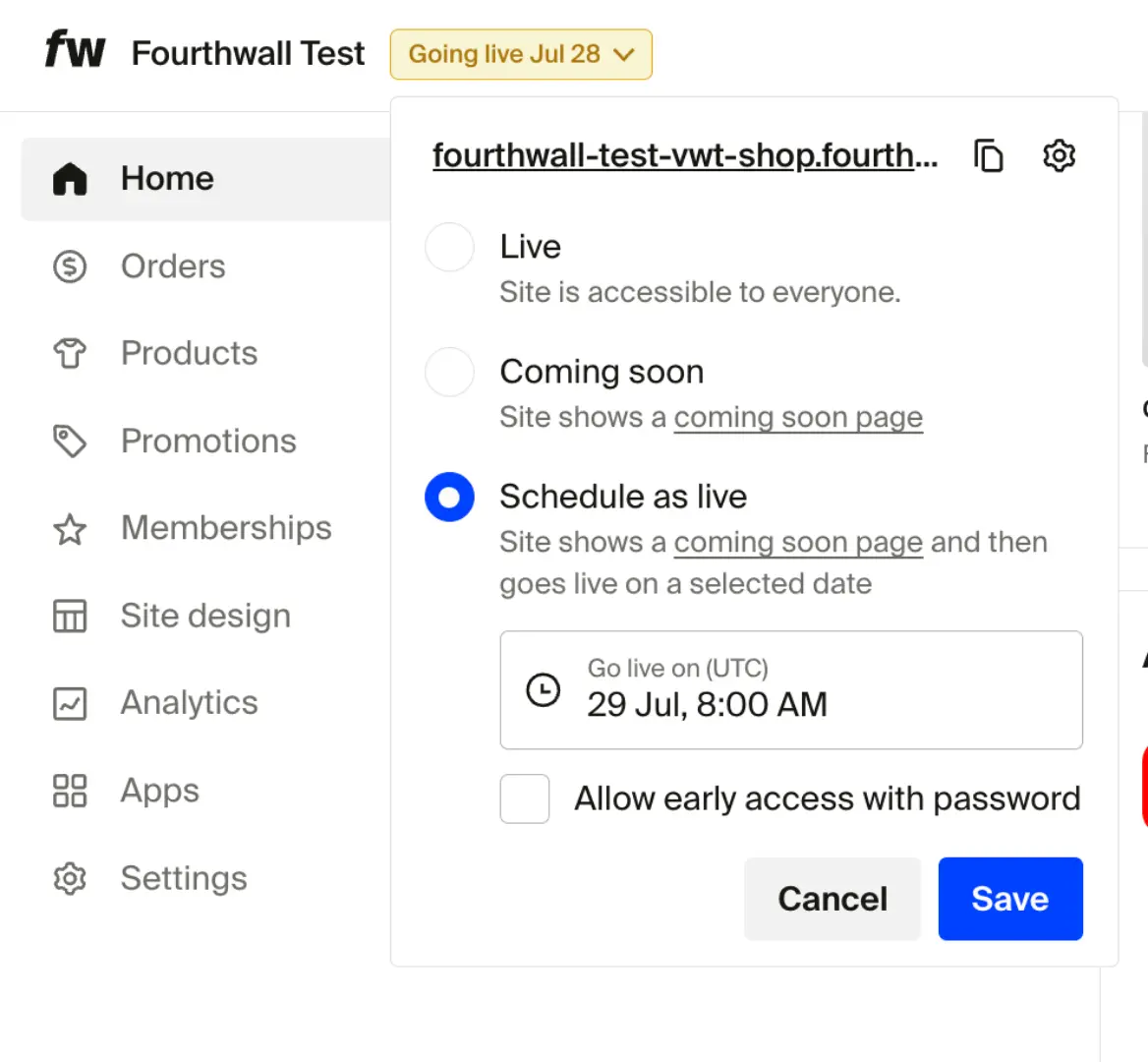
In your Fourthwall dashboard, head to the Home tab. You'll see the current status as a badge in the top bar, next to your shop's domain.

Option 2: From the Site Design tab
Open the Site Design tab in your dashboard. In the top-right corner, you'll see the current site status.
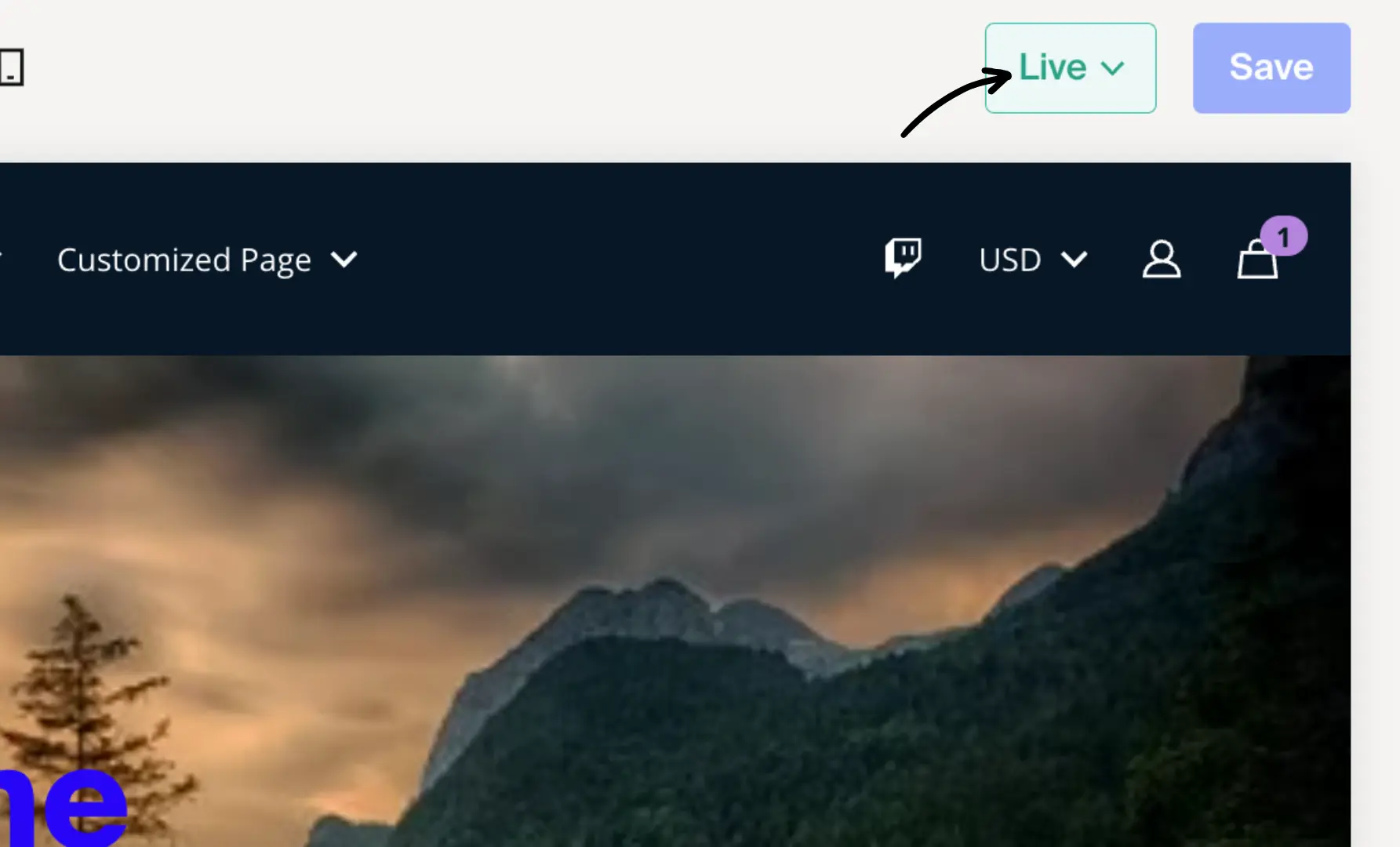
Changing the site status
Click the status drop-down and choose from the following:
-
Live – Your site is visible and fully accessible to the public.
-
Coming Soon – Visitors will see a "Coming Soon" page instead of your homepage.
- Great for building anticipation and collecting emails!
- You can also add a password to give early access to select visitors.

-
Schedule as live – Perfect if you're planning a specific launch date.
- Set a date and time, and your site will automatically go live then.
- Until then, a countdown appears on your "Coming Soon" page.
FAQ
Can I make my site completely blank or invisible?
Fourthwall does not offer a "show nothing" option that fully hides your site. The closest alternative is Coming Soon with password protection, which still displays a holding page with a mailing list signup and an optional password entry field. If you need to take your site down entirely, contact Fourthwall support for help.