Edit your footer section
Updated October 16, 2026
Edit the footer section of your shop
Go to Site Design > Layout > Footer
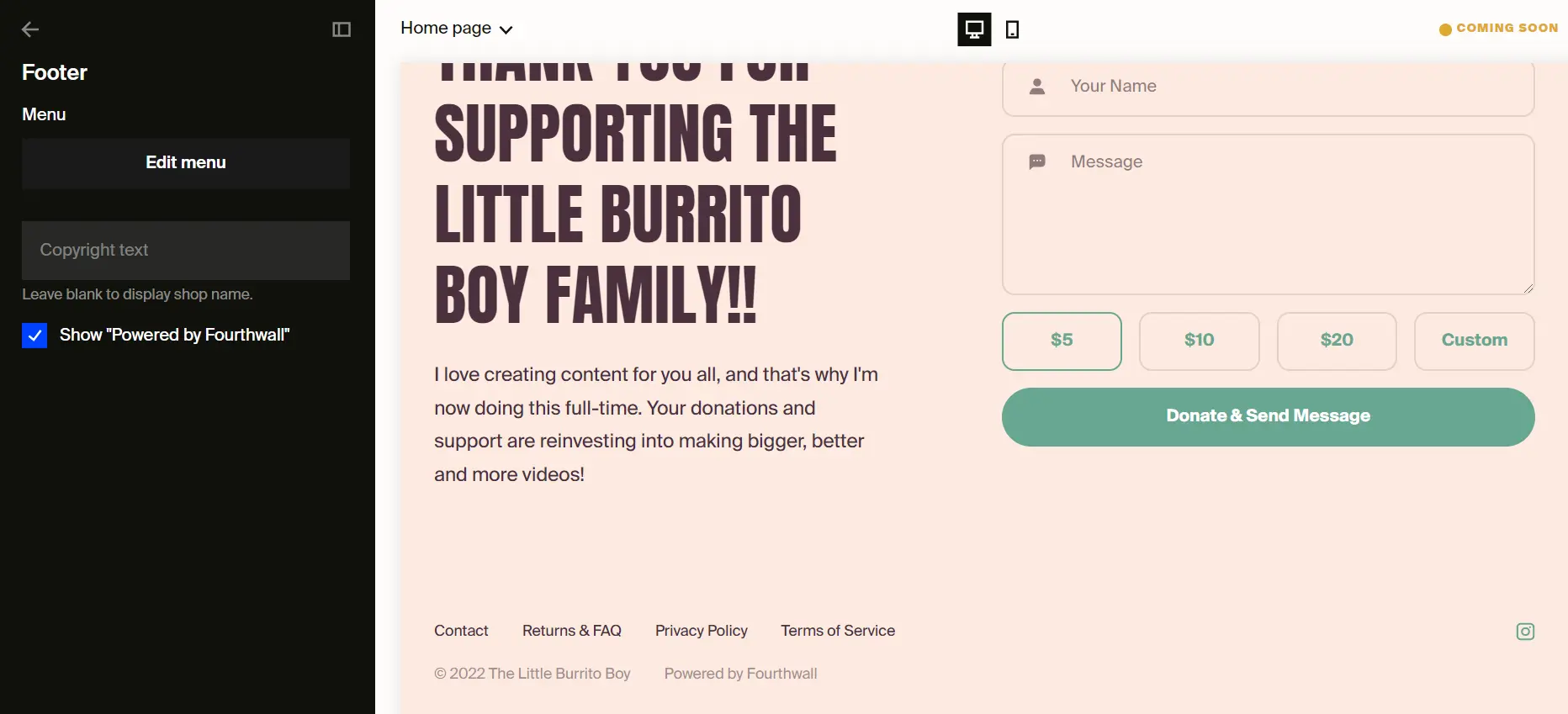
You can customize the following footer settings:
- Layout style: Pick the visual style for your footer: Minimal for a streamlined look or Modern for an updated layout.
- Menu links: Edit the order and content of footer menu links (Contact, Privacy Policy, Returns & FAQs, etc.) via the Edit menu button. To remove an individual link, click Edit menu, then click the trash icon next to the link and click Save. For detailed steps, see Removing a menu link.
- Menu links alignment: Choose how your footer links are aligned: Left, Center, Right, or Split.
- Copyright text: Customize the copyright notice displayed in the footer. By default, this is your shop name.
- Show "Powered by Fourthwall": Toggle whether the Fourthwall branding appears in your footer.
- Show currency selector: Display a currency selector so international customers can switch currencies.
- Show online counter: Display a live visitor counter in the footer.
- Add separator line: Add a horizontal divider line above the footer content.
- Make section full width: Expand the footer to fill the entire page width.
- Top and bottom padding: Adjust the spacing above and below the footer content (0-200px).
By default, your copyright text will be the name of your shop.
How do I remove "Powered by Fourthwall" from my footer?
Turn off Show "Powered by Fourthwall" in your footer settings to remove the Fourthwall branding from your site's footer.
- Go to Site Design > Layout > Footer in your creator dashboard.
- Uncheck Show "Powered by Fourthwall".
- Click Save. If your site is LIVE, Save publishes the change. The drop-down to the left of the Save button sets whether your site is visible.
This setting controls only the Fourthwall branding in the footer. The small square "FW" badge you may see at the bottom of your storefront is a separate element. See "Why do I still see a Fourthwall badge at the bottom of my site?" in this article.
Why do I still see a Fourthwall badge at the bottom of my site?
The small square "FW" badge is the collapsed admin navigation bar, and only you and your team members with admin access can see it. Customers never see it, so there's nothing to remove for your customers. The Show "Powered by Fourthwall" footer setting doesn't control it.
When you're logged in with admin access, Fourthwall shows the admin navigation bar at the bottom of your storefront.
To check what your customers see:
- Open your shop URL in a private or incognito browsing window, where you're not logged in. This gives you the same view your customers have.
- If the badge doesn't appear there, your customers don't see it.
You can close the admin navigation bar with its close control, but it comes back the next time you load a storefront page while logged in. Before you record a video or share your screen, sign out or use an incognito window so the bar doesn't appear. See Admin Navigation Bar on Your Storefront.
If a Fourthwall badge still shows in an incognito window, email support@fourthwall.com with your shop URL and a screenshot of the badge.